Autoscaling is Not Capacity Planning: Understanding the Differences for Optimal Performance
In today’s fast-paced digital world, ensuring your website or application runs smoothly under varying traffic loads is crucial. Autoscaling has become a buzzword for managing server capacity, but it’s important to understand that autoscaling is not the same as capacity planning. This distinction can make the difference between peaceful nights and unexpected emergency alerts waking you up in the middle of the night.
What is Autoscaling?
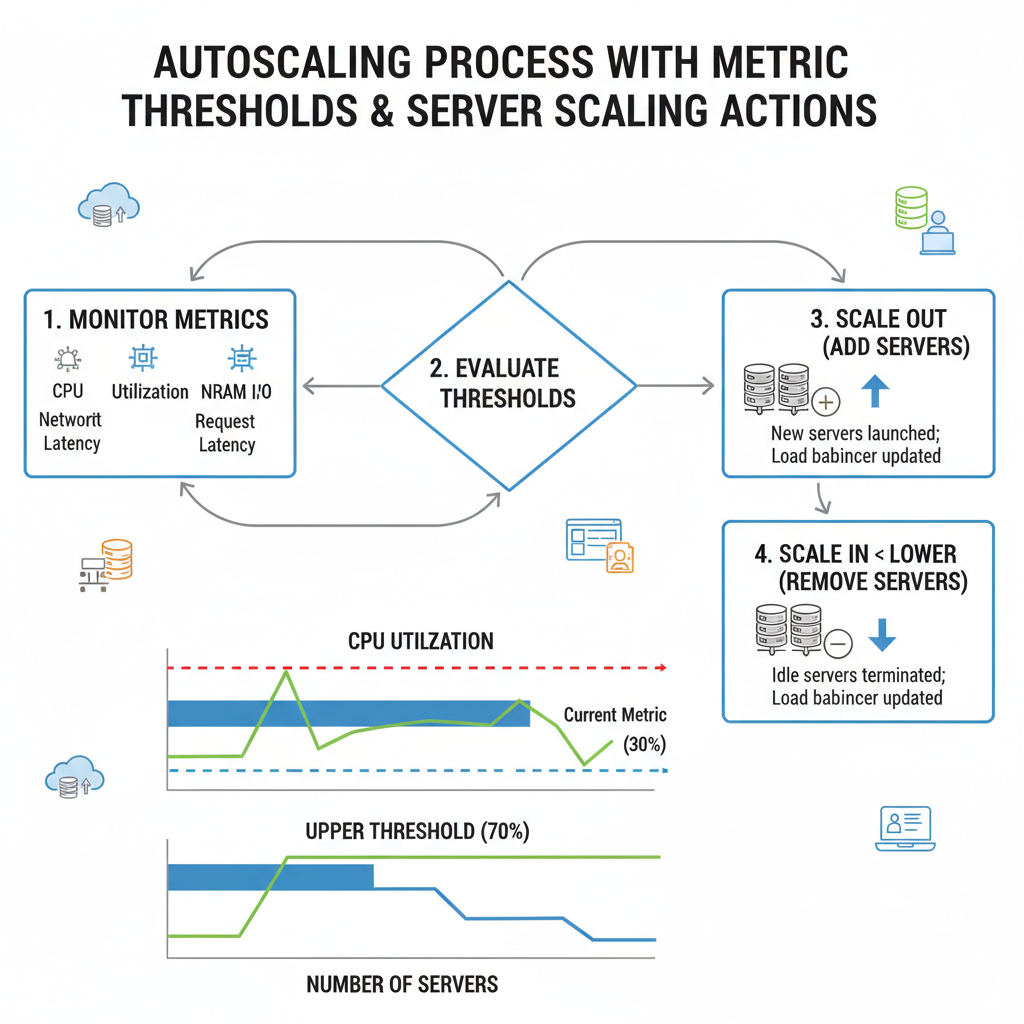
Autoscaling is a cloud computing feature that automatically adjusts the number of active servers or resources based on current demand. This helps maintain performance during traffic fluctuations without constant manual intervention.
How Autoscaling Works
You typically define rules for autoscaling such as:
- If CPU usage > 70% for 5 minutes, add 2 servers
- If CPU usage < 30% for 10 minutes, remove 1 server
The autoscaling system continuously monitors these metrics and adjusts the capacity accordingly. This automation acts like a safety net, providing extra resources when needed and scaling back when demand decreases.
Why Autoscaling is Not Enough: The Reality Check
Delays in Scaling
Scaling out is not instantaneous. When demand spikes, new servers need time to boot and become fully operational. This delay means your users might experience slowdowns or service interruptions before autoscaling kicks in.
Metrics Lag Behind Real-Time Load
The system relies on metrics like CPU usage or network traffic that reflect past or current states, but often with a slight delay. Rapid surges in traffic may be underestimated, causing autoscaling to react too late.
Scaling In Risks
Reducing servers too aggressively can result in killing active connections, disrupting user experience. Careful tuning is necessary to balance cost-saving and user retention.
The Need for Predictable Capacity Planning
For predictable traffic spikes, such as Black Friday sales or major product launches, you need to overprovision — that is, keep enough resources running ahead of time. This ensures your system can handle surges without relying solely on autoscaling reaction time.

Capacity Planning: The Proactive Approach
Capacity planning involves analyzing historical traffic data, understanding business events, and forecasting future demand to allocate the right amount of resources proactively.
Steps for Effective Capacity Planning
- Analyze past traffic patterns: Identify regular trends, seasonal peaks, and special events.
- Predict upcoming spikes: Use business calendars and marketing plans to anticipate demand.
- Allocate resources accordingly: Provision servers in advance to handle expected loads.
- Combine with autoscaling: Use autoscaling as a safety net for unexpected fluctuations.
// Example of a simple autoscaling rule set in a cloud infrastructure configuration

{

"scaleOutCondition": "CPU > 70% for 5 min",

"scaleOutIncrement": 2,

"scaleInCondition": "CPU < 30% for 10 min",

  "scaleInDecrement": 1

}
Conclusion: The Balance Between Autoscaling and Capacity Planning
Autoscaling provides convenience and peace of mind by automatically managing your infrastructure during normal operations. However, it is not a substitute for thorough capacity planning, especially when dealing with predictable, high-impact traffic events. Proper capacity planning ensures you can deliver the best user experience during critical moments without the risk of being caught off guard, while autoscaling helps cover unexpected variances.
Sleep better knowing your infrastructure strategy balances both automation and foresight, preventing those dreaded midnight PagerDuty alerts. Remember, autoscaling is your safety net — not your full safety strategy.
For more insights on managing your server infrastructure effectively, check out AWS Autoscaling Documentation and Cloudflare Scaling Concepts.