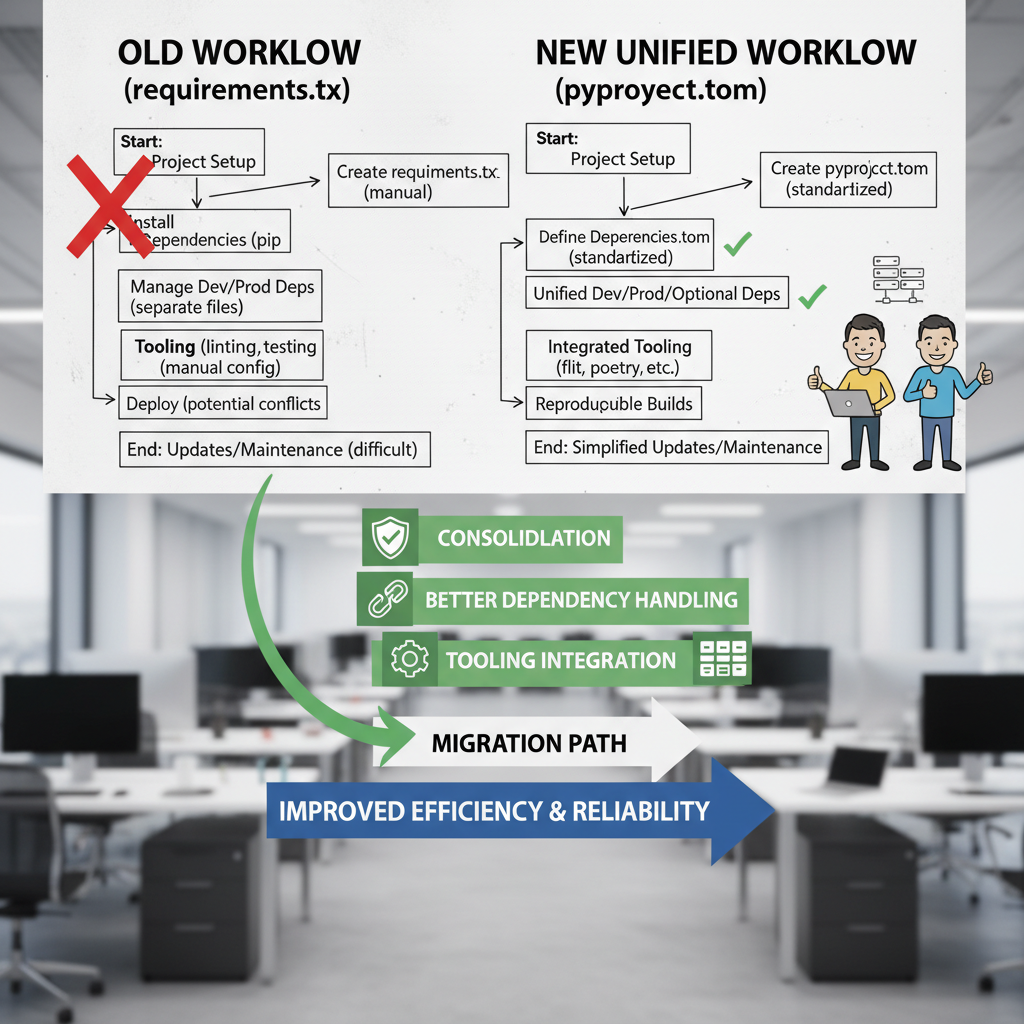
Data / ML Engineers, STOP Using requirements.txt! Embrace pyproject.toml Today
For many years, requirements.txt files have been the go-to solution for managing Python dependencies. But times have changed — it’s 2026, and the Python ecosystem has evolved beyond simple dependency listing. If you’re still relying solely on requirements.txt for your data science, machine learning, or engineering projects, it’s time to upgrade your workflow.
In this post, we’ll explore why requirements.txt is no longer sufficient and why adopting pyproject.toml is the best practice for modern Python projects.
The Limitations of requirements.txt
At its core, a requirements.txt file is just a shortcut to avoid typing multiple pip install commands. It lets you list packages and pin versions simply, which was very handy for simple projects or early-stage development environments.
However, this approach comes with clear drawbacks:
- Limited scope:
requirements.txtonly lists dependencies but does not contain metadata about your project. - No build system declarations: It doesn’t specify how to build your package or what build backend to use, which is essential for reproducible builds.
- Fragmented configuration: For years, metadata and build instructions were scattered across
setup.py(now deprecated),setup.cfg, andMANIFEST.in, creating confusion. - Can’t manage tooling configurations: Linters, formatters, test frameworks, and other tools often require their own config files or manual integration.
Welcome to pyproject.toml: The Future of Python Project Management
The solution to all these pain points is pyproject.toml. Introduced as part of PEP 518, it has steadily become the standard way to centralize project metadata, dependencies, build system requirements, and tool configurations in a single, declarative TOML file.
What is pyproject.toml exactly?
pyproject.toml is a file placed at the root of your project directory that:
- Defines your project metadata: name, version, authors, license, description, URLs, classifiers, and more.
- Specifies your build backend, so tools know how to compile or package your code without running arbitrary Python code.
- Lists dependencies and their versions in a modern, flexible way.
- Allows configuration of dev tools like linters (e.g.,
ruff), formatters, test runners, and others within the same file.
Example snippet of a pyproject.toml file for a data science project:
[project]

name = "awesome-ml-project"

version = "0.1.0"

authors = ["Jane Doe <jane@example.com>"]

description = "An amazing ML project using latest Python standards"

readme = "README.md"

license = {text = "MIT"}

classifiers = ["Programming Language :: Python :: 3", "License :: OSI Approved :: MIT License"]

dependencies = [

"numpy >=1.21, <2.0",

    "pandas >=1.3",

"scikit-learn >=1.0",

"matplotlib",

]
[build-system]
requires = [“setuptools>=61.0”, “wheel”]
build-backend = “setuptools.build_meta”
[tool.ruff]
line-length = 88
select = [“E”, “F”, “W”, “C90”]
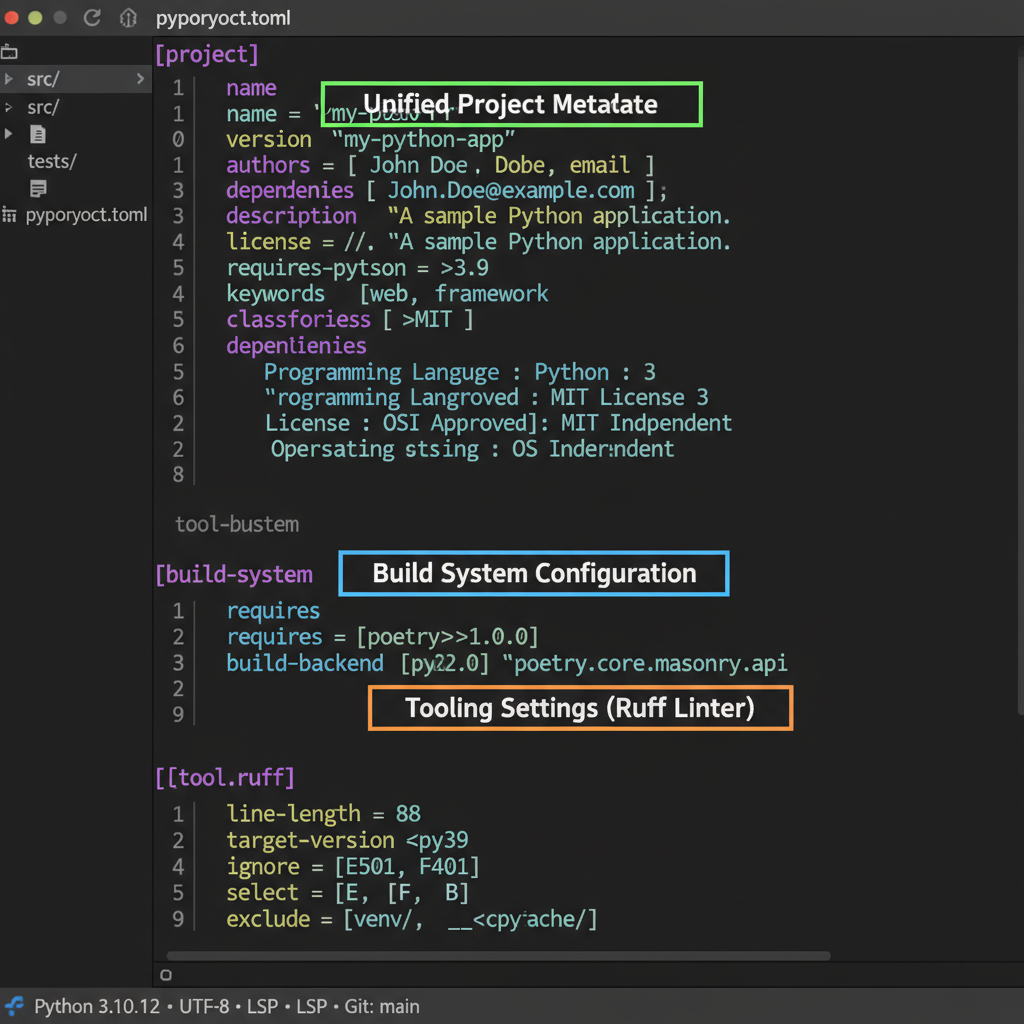
Why Should Data and ML Engineers Switch to pyproject.toml?
1. Consolidation and Simplification
Instead of juggling multiple files (setup.py, requirements.txt, setup.cfg, tox.ini, and others), you now have one single source of truth. This reduces complexity and chances for errors.
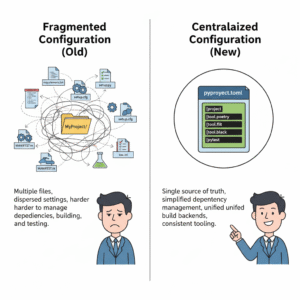
2. Better Dependency Management
pyproject.toml supports modern tools like pip, Poetry, and Poetry that interpret your dependencies along with constraints elegantly. They can also more easily handle extras, optional dependencies, and environment markers.
3. Tooling Integration
Linters, formatters, test runners, and other Python tools increasingly support reading configuration directly from pyproject.toml. This consolidates your project configs, so you don’t need separate config files for each tool.
4. Improved Build Systems and Reproducibility
By declaring build backends explicitly, packaging and building are more predictable and secure, enabling better automation — crucial in complex ML pipelines.
How to Migrate from requirements.txt to pyproject.toml
Migrating is simpler than you might think, especially if you’re starting a new project.
- Create a
pyproject.tomlfile at the root of your project. - Define the
[project]section: add metadata and dependencies you currently list inrequirements.txt. - Specify your build backend: most ML projects can use setuptools or poetry.
- Add tool configurations: include linters like Ruff or others.
- Remove or archive your old
requirements.txtonce your workflows switch over.
For a detailed comparison of the two approaches, check out this great blog post: pyproject.toml vs requirements.txt.
Conclusion
If you’re a data or machine learning engineer stuck in the past with requirements.txt, now is the time to embrace modern Python project management. pyproject.toml streamlines dependency management, consolidates project configuration, and integrates tooling support in one place, making your projects cleaner, more maintainable, and future-proof.
Stop juggling multiple files and upgrade your projects today with pyproject.toml — your future self will thank you!